


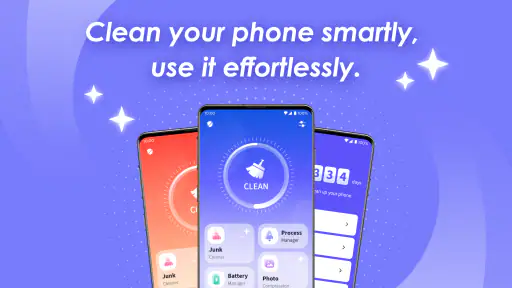
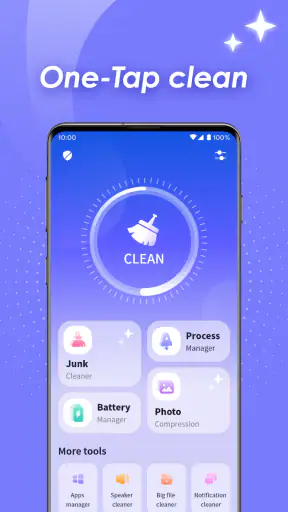
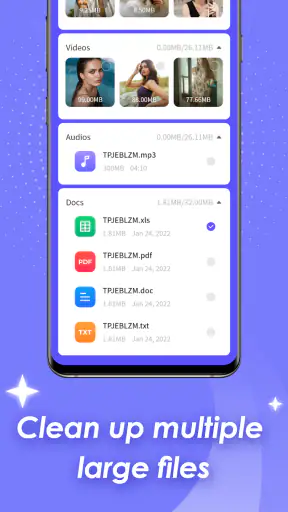
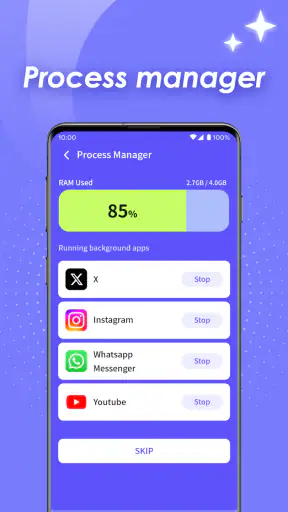
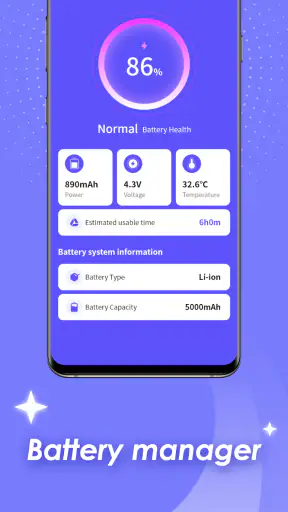
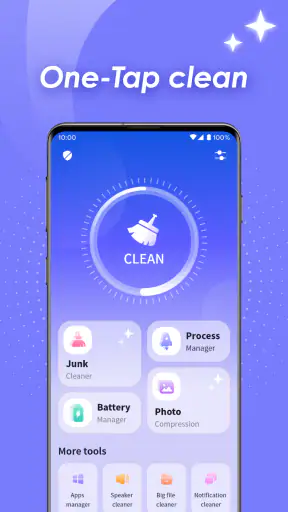
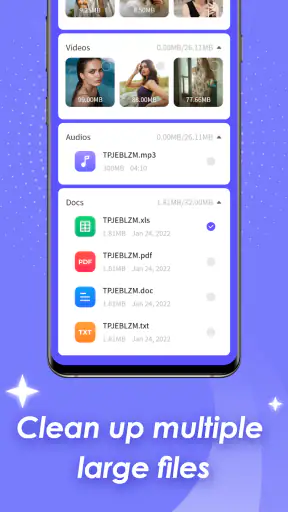
I approached Phone Clean Tools as a practical productivity app rather than a magic solution for every phone problem. Its purpose is straightforward: help Android users deal with the clutter that gradually builds up on a device. That makes it most interesting for people who regularly run out of storage, postpone basic maintenance, or want one place to begin when their phone feels messy.
My overall impression is positive, but measured. The app is free, aimed at an Everyone audience, and focused specifically on Android phone cleaning. It is published by Diamond Queen Cleaning L.L.C., and its current version is 1.1.3. Those details matter because this feels like a focused utility still establishing its place, not a huge all-purpose system suite.
How Phone Clean Tools fits into everyday phone maintenance
The best way to understand this app is to see it as a starting point for cleanup. Android already includes storage controls, file browsing, and settings that can help you remove unwanted material. The advantage of a dedicated cleaning app is convenience: instead of remembering where several tools are located, you can begin from a single cleaning-oriented interface.
That convenience is useful when the problem is not one dramatic file but a collection of small decisions. Old downloads, forgotten media, temporary leftovers, and files copied more than once can make storage management feel tedious. A focused tool can turn that vague feeling of “my phone is full” into a task you can approach in stages.
I would not treat it as a performance booster in the broad sense. Removing unnecessary files may create more free space, but it cannot upgrade the phone’s processor, repair a worn battery, or make every application behave better. The practical benefit is better storage housekeeping, not a complete cure for slow-phone problems.
That distinction is important for expectations. If your device is slow because an app is crashing, the operating system needs an update, or the battery is aging, cleaning alone is unlikely to solve the root cause. Phone Clean Tools makes more sense when storage clutter is the specific issue you want to investigate.
A realistic use case at the end of a busy week
Imagine taking photos during a family event, downloading several documents for work, and receiving a stream of videos in messaging conversations. A few days later, you try to install an update or record more video and receive a storage warning. In that situation, I would use a cleaning app to survey the phone before deleting anything important.
My preferred workflow would be deliberately cautious. I would first look for large or clearly disposable items, then check the suggested results one group at a time. I would open anything that might be valuable, especially photos, documents, and videos, and only then confirm removal. This is slower than pressing a single dramatic “clean” button, but it reduces the chance of losing something that cannot be replaced.
That workflow also reveals a useful trade-off. A cleaner can save time by finding likely clutter, but automation is only as good as the user’s final review. The more personal the files on a phone are, the less sensible it is to approve every recommendation without looking.
What the current release tells me
Phone Clean Tools was released on January 29, 2026, and the current release is version 1.1.3. Because the product is relatively early in its public life, I see its present state as a foundation rather than a finished answer to every storage-management preference.
Its reception is encouraging: the app has a 4.5 average from around 12 thousand ratings and has passed one million installs. That level of adoption suggests that the basic idea is useful to many Android owners. Still, popularity does not remove the need to inspect files carefully. A high average rating can tell me that people generally find the app worthwhile; it cannot decide which files are safe on my particular phone.
The release information also gives the app a clear technical boundary. It supports Android 7.0 and later, which makes it relevant to users with older devices as well as newer models. That broad compatibility is helpful if you maintain an aging phone, but older Android versions can differ in how storage is organized and how aggressively the system controls access. I would therefore judge the results on the individual device, not assume that every phone will present cleanup in exactly the same way.
The product’s evolution should be read carefully. Moving to version 1.1.3 indicates an actively maintained early release, but it does not by itself prove that every advanced cleaning scenario is covered. I would watch future updates for clearer organization, more precise explanations of what will be removed, and smoother handling of phones with complicated storage setups.
How I would use it without creating new problems
Before the first cleanup, I would make sure important photos and documents exist somewhere else. This is not because a cleaning app is automatically unsafe; it is because deletion is a consequential action, and a backup gives you room to correct a mistake. I would also avoid cleaning immediately before an important trip or event, when losing a needed file would be especially inconvenient.
My second rule would be to separate obvious clutter from uncertain material. A forgotten download with a recognizable name is easier to judge than a file with an unfamiliar label. If I do not know what something is, I would leave it alone until I can identify the application or conversation that created it.
A third useful habit is to clean by purpose rather than by panic. If the phone needs space for an update, concentrate on large disposable items first. If the goal is general organization, take smaller passes and review personal media more carefully. This approach prevents the common mistake of deleting many minor files while ignoring one large video or offline download that is actually consuming most of the space.
I would also check whether a file is duplicated before removing it. Two files with similar names may be genuine copies, but they may also be different versions of a document or edited images that only look alike. The safest decision is based on content and context, not just the filename.
Where it can be better than Android’s usual tools
Android’s built-in storage controls are often the safest reference point because they are part of the operating system and already understand the device’s basic structure. They can be enough for someone who only needs occasional manual deletion. Phone Clean Tools becomes more appealing when the built-in menus feel scattered or when you want a cleaning-focused place to begin.
The difference is less about replacing Android and more about reducing friction. A dedicated app can make the maintenance task feel intentional instead of forcing you to move through several settings screens. For a family member who finds system menus confusing, that focused approach may be easier to understand.
On the other hand, I would prefer the system settings when I need to investigate a particular application, review its storage usage, or make a targeted decision about app data. A general cleaner is not automatically the best tool for diagnosing one misbehaving app. In that case, Android’s own controls usually provide the more direct route.
File manager apps are another alternative. They offer more control over folders and filenames, which is valuable for experienced users who already understand their device. Their weakness is that they can make routine maintenance feel like manual detective work. Phone Clean Tools is better suited to someone who wants guidance, while a file manager is better for someone who wants granular control.
The effect on people already using the app
For existing users, the current version should be approached as a maintenance tool rather than something that needs constant attention. I would not run a cleaner repeatedly just because it is available. A sensible routine is to use it when storage becomes genuinely tight, after a period of heavy downloading, or when you have time to review the results properly.
That restraint matters because cleaning more often does not necessarily mean cleaning better. Some temporary material is recreated by applications, and removing it may offer only short-lived relief. The meaningful question is whether you are freeing space that you actually need, not whether the app can always find another small item to remove.
If you have used an earlier release, the move to 1.1.3 is a reason to check the app’s current behavior before relying on an old routine. The safest way to assess any update is to review what it identifies, how clearly it labels items, and whether the confirmation step makes the consequences understandable. I would keep my first post-update cleanup small, then expand the scope once the results look familiar.
The app’s free price also lowers the barrier to trying it, especially for someone who needs occasional help rather than a long-term subscription. Free does not mean risk-free, however. The cost to consider is your time and attention: reviewing files carefully is part of using any cleaner responsibly.
Remaining gaps and situations where I would skip it
I would skip Phone Clean Tools if my main concern were battery health, mobile signal, malware protection, or repairing a damaged operating system. Those are different problems, and a storage-cleaning utility is not the right category for them. I would also avoid expecting it to transform an old phone into a new one.
Advanced Android users who already organize folders carefully may gain little from another layer between them and their files. If you know exactly which directories to inspect and prefer complete manual control, a file manager or the system storage screen may be faster. The app’s value is greatest for reducing uncertainty and effort, not for replacing expertise.
Privacy-conscious users should apply the same care they would apply to any utility that examines local files. I would read the app’s own permission and privacy explanations before granting access, and I would be uncomfortable with any cleaning tool whose requests were broader than its task. The fact that an app is focused on cleaning does not mean every request should be accepted automatically.
There is also a human limitation: recommendations can be misunderstood. A person who is in a hurry may see a long list of candidates and approve it without recognizing that personal media can be mixed with genuine clutter. For that reason, I would not hand the phone to a less experienced user and tell them simply to “clean everything.” I would show them how to inspect categories and pause when an item is unclear.
What I would watch as the product develops
Since the app is still at an early version, future progress should be judged by clarity as much as by the number of cleaning functions. I would value explanations that make each recommendation understandable, especially when a file might be important. A good cleaner should help users make better decisions, not merely make the final button more prominent.
I would also watch how well the app handles edge cases: phones with removable storage, devices shared among family members, and collections containing years of personal media. These situations expose whether a cleaner is genuinely thoughtful or only comfortable with simple clutter.
Another area worth watching is the balance between speed and control. A quick scan is convenient, but a fast process that hides context is not necessarily an improvement. The strongest future direction would combine a simple first pass with enough detail for users who want to verify the results before deleting anything.
Finally, I would look for steady maintenance that respects older Android devices as well as current ones. Support for Android 7.0 and later gives the app a wide audience, and that audience will not have identical storage behavior. Updates that preserve compatibility while improving explanations and reliability would do more for me than flashy additions unrelated to cleaning.
My recommendation after using it
I recommend Phone Clean Tools to Android users who want a straightforward place to begin managing storage clutter, particularly if built-in menus feel inconvenient. Its free access, Everyone age rating, broad Android compatibility, and strong user response make it easy to try. The app is most useful when you treat it as an assistant for finding candidates, not as an authority that should decide everything for you.
My advice is to start with a small cleanup, protect important files beforehand, and review personal media manually. Use the app when you have a specific storage goal, such as making room for an update or clearing accumulated downloads, rather than running it compulsively. That approach captures its practical strength while avoiding the biggest risk of automated cleanup: deleting something valuable simply because it looks unnecessary.
In the end, Phone Clean Tools earns a place on my shortlist for basic Android storage maintenance, but not as a universal phone-repair solution. If your problem is clutter and you want a focused helper, it is worth considering. If you need deep file control, app-by-app diagnosis, or help with battery and performance faults, Android’s own settings or a more specialized tool will probably serve you better.
My final view: this is a promising, accessible cleaning utility whose current value comes from making storage housekeeping less intimidating. I would keep using it in careful, targeted sessions and judge future releases by how clearly they explain their recommendations. That is the difference between a cleaner I trust as a helpful guide and one I would avoid letting make decisions on my behalf.


